The "Exclusive" tag in the keyword isn't just marketing hype. Here are the standout features that make V20 a must-have:
In the world of Android devices, users often encounter various challenges, including the notorious Factory Reset Protection (FRP) lock. This security feature, designed to protect user data, can sometimes become a hurdle for those who need to access their device's full potential. For those seeking a reliable solution, Muslim Odin V20 by Ali Hassani emerges as a beacon of hope. This article aims to provide an in-depth look at Muslim Odin V20, focusing on its capabilities, particularly in bypassing FRP on all Android devices, and what makes it an exclusive tool for FRP removal.
Claims of exclusivity for all Android FRP bypass solutions are rare because the effectiveness of such tools can vary widely depending on the device model, Android version, and security patch level.
| Feature | Muslim Odin V20 | SamFW FRP Tool | FRP Hijacker | | :--- | :--- | :--- | :--- | | | Free | Free (Limited) | Free | | Samsung Support | Full (Android 14) | Full | Partial (Android 11) | | MTK BROM Support | Yes (One-click) | No | Requires scripts | | Qualcomm EDL | Yes | No | No | | Driver Fixer | Built-in | Manual | Manual | | User Interface | Modern (V20 Refresh) | Basic | Command-line | | Exclusive Module | Password/Pattern removal | None | None |
: Deep cleaning devices even when they are stuck in a locked state.
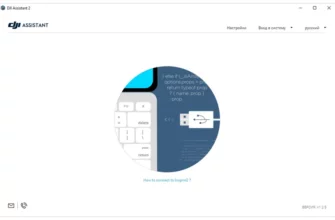
Begin by downloading Muslim Odin V20 from a trusted source. Ensure you follow the installation instructions carefully to avoid any setup issues.
The primary objective of Muslim Odin V20 is to simplify the process of bypassing Factory Reset Protection (FRP). FRP is a security measure introduced by Google on Android devices running version 5.1 (Lollipop) and higher. It is designed to prevent unauthorized access to a device after a factory reset has been performed, requiring the user to verify the previously synced Google account credentials.